

Overview
A dictation is you talking, with nobody else in the recording. You can dictate after the patient has left, at the end of a session, or from home. It is transcribed like a consult, and Aria can write it up with any of your prompts. There are two ways to start one.Dictating from your computer
- Click Dictate in the top bar of any page.
- Recording starts straight away. There is no consent step, because nobody but you is being recorded.
- Talk. Pause and resume if you need to.
- Click Stop and save, and give it a name if you want one.
Dictating from your handset
If your phone system has been set up for it, the Scribe page shows the code to dial, for example “Dictating from your handset? Dial *36 to start a new one.”- Pick up your handset and dial the code.
- Dictate after the tone. Hang up when you are done.
- Within a few minutes the dictation appears on your Scribe list as Dictated, recorded by whoever is assigned to that extension.
The code and the extension it is tied to are set up by Pear on your phone system. If no code is shown on the Scribe page, handset dictation is not set up for your practice yet. Dictating from the computer works regardless.
Reading a dictation
Click a dictation row to open its panel. It shows when it was recorded and who by, and the transcript laid out as paragraphs, split where you paused for breath rather than as one block of text.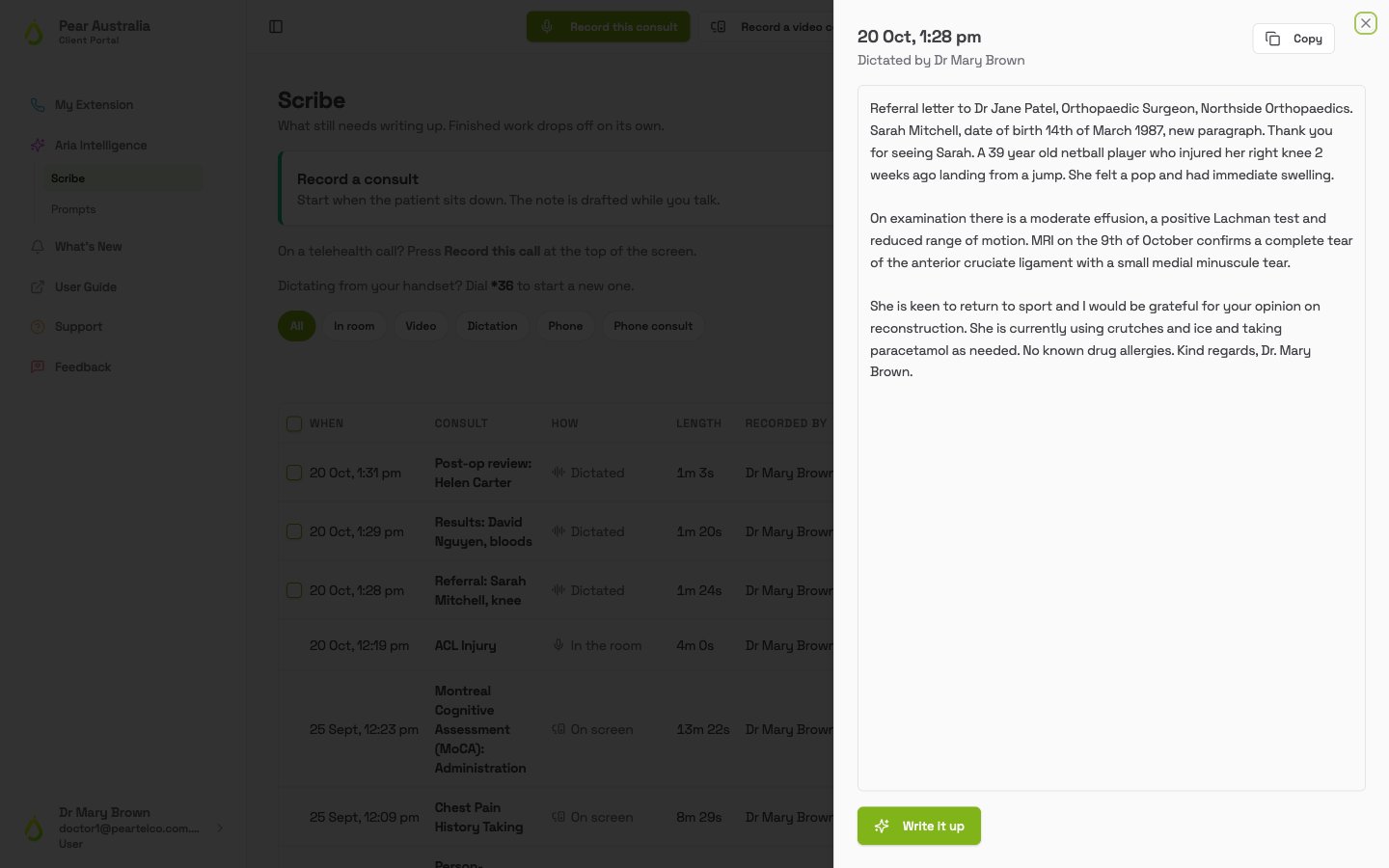
- Copy puts the plain text on your clipboard, ready to paste anywhere.
- Listen on the row plays the audio in place, so you can check a word against what you actually said.
- Write it up at the bottom opens the prompt chooser, the same as on the Scribe list. Once a note exists, the button opens it instead.
Writing up several at once
Dictation is the batch half of Scribe: record now, write up later. When a dictation is Ready to write up, a tick box appears at the left of its row.- Tick the dictations you want written up, or use the tick box in the column header to select every dictation that is ready.
-
A bar appears showing how many are selected. Click Write up N.
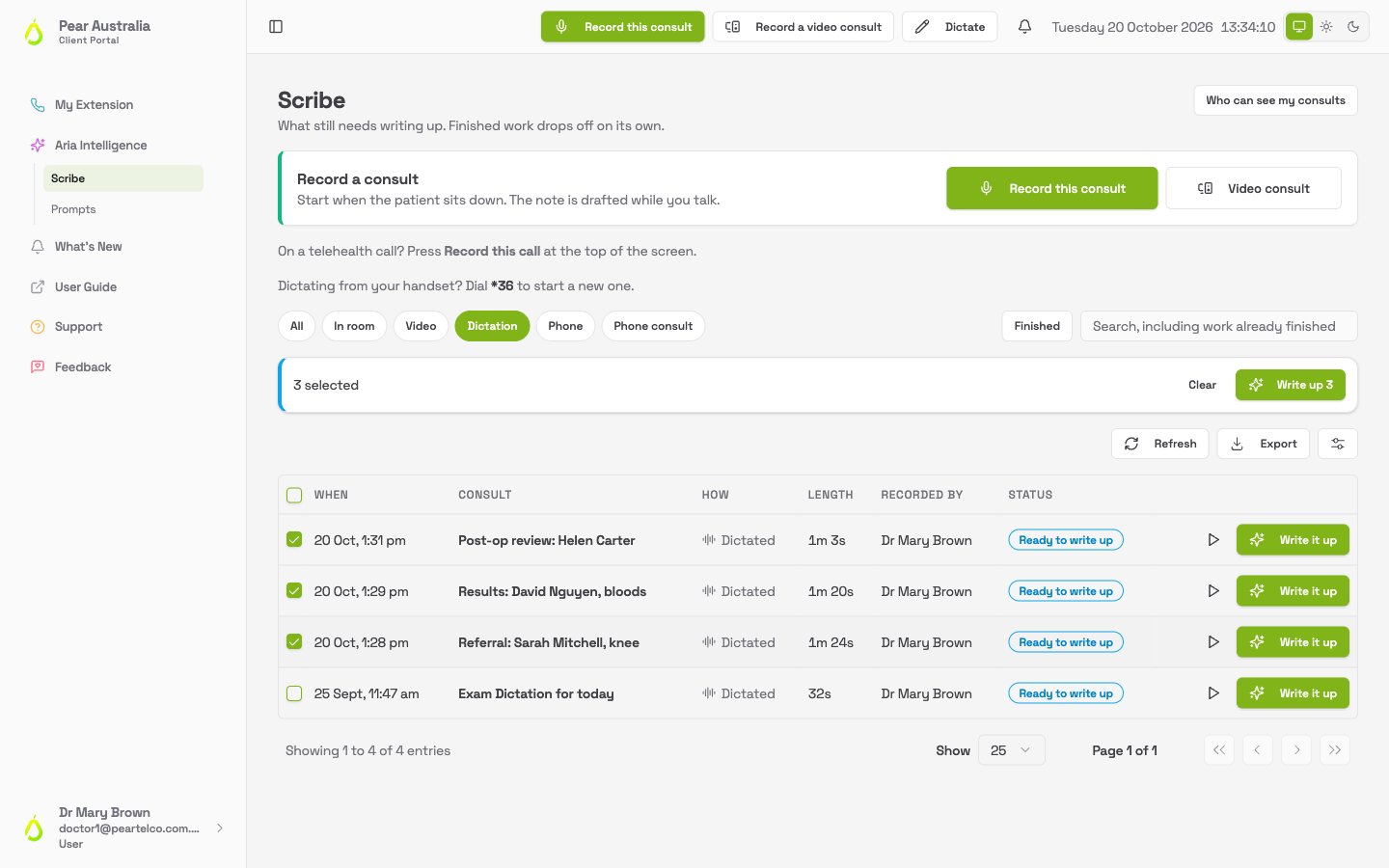
- Aria drafts each one with your usual prompt. They move to Needs your review, and you open and finalise each in turn.
Batch write-up uses the prompt you have marked as your usual one. If you have not set one yet, the portal asks you to write one dictation up on its own first, pick the prompt you want, and tick Make this my default prompt. After that the batch button works.