

Overview
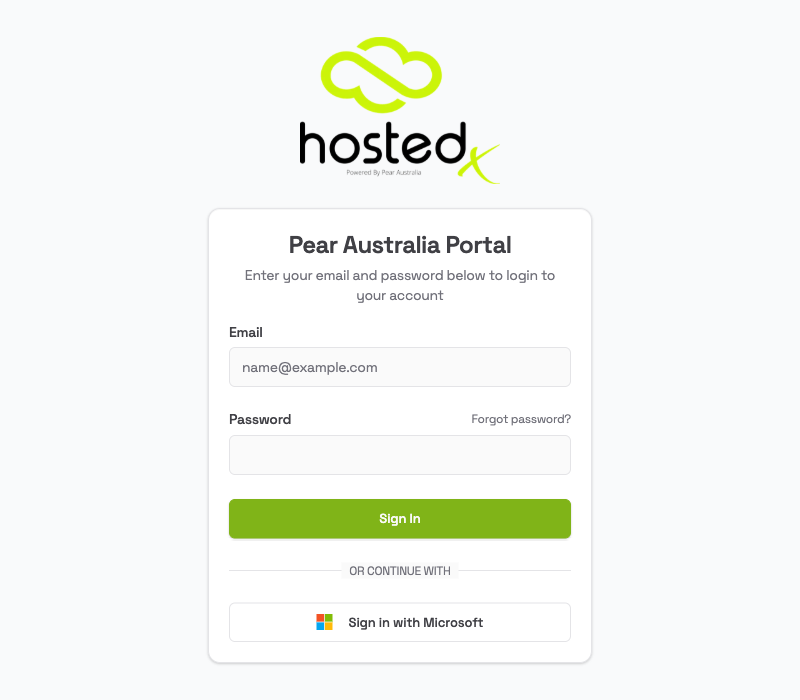
The Pear Portal login page is where you start. You sign in with your email address and password. You can also add two-factor authentication to your account, so signing in asks for a short code from your phone as well as your password. It is optional, it takes a minute to set up, and it is the single most effective thing you can do to keep your account safe.How to sign in
- Go to your Pear Portal address (your administrator will give you this)
- Enter your Email address
- Enter your Password
- Click Sign In
If you were trying to reach a specific page before being asked to log in, you will be taken back there automatically after signing in.
Two-factor authentication
Two-factor authentication asks for a short code from an app on your phone, as well as your password. It means a stolen or guessed password is not enough on its own to reach your account. It is optional, and you turn it on yourself from Settings. Pear Australia strongly encourages it on any account that can see information about patients, customers or staff. See Two-factor authentication for how to set it up, what backup codes are, and what to do if you lose your phone.Sign in with Microsoft
The Sign in with Microsoft button is for Pear Australia staff accounts only. It will not work with your own organisation’s Microsoft 365 account, even if you have one. Sign in with your email address and password instead. If you would like a second step on your account, use two-factor authentication as described above.Forgot your password?
- On the login page, click Forgot password? (next to the password field)
- Enter your Email Address
- Click Send Reset Instructions
- Check your inbox for an email from the Pear Portal. Also check your spam folder
- Click the reset link in the email
- Enter your new password and the 6-digit code from the email
- Click Back to Login and sign in with your new password
The reset link expires after 1 hour and can only be used once. If it has expired, go back to the login page and click Forgot password? to request a new one.