
Overview
Your consults are yours. Nobody else in the practice can see them unless you share them, or a practice manager hands them over on your behalf. Sharing is for the everyday cases: a registrar writing up your consults, a colleague covering your list, or a second opinion on one recording.What a colleague can do with a shared consult
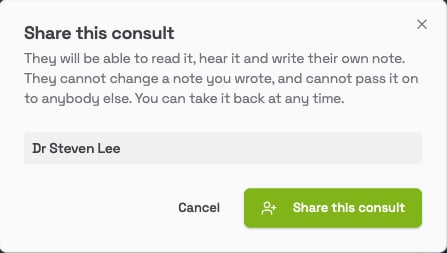
They can read the transcript, listen to the audio, and write their own note from it with Write another. They cannot change a note you wrote (it opens for them as View only), and they cannot pass the consult on to anyone else. The consult appears on their Scribe list with your name in Recorded by.Sharing one consult
- On the Scribe list, click ⋯ (more actions) at the end of the row, then click Share.
- The Share this consult window lists your colleagues. Pick one.
-
Click Share this consult.
Sharing everything you record
- Click Who can see my consults at the top right of the Scribe page.
- Click Share everything I record.
- Pick a colleague. They will see every consult you record from now on, until you take it back.
- Tick Include consults I have already recorded if they should see your earlier ones as well. Leave it unticked and they only see new recordings.
- Click Grant access.
Seeing who has access, and taking it back
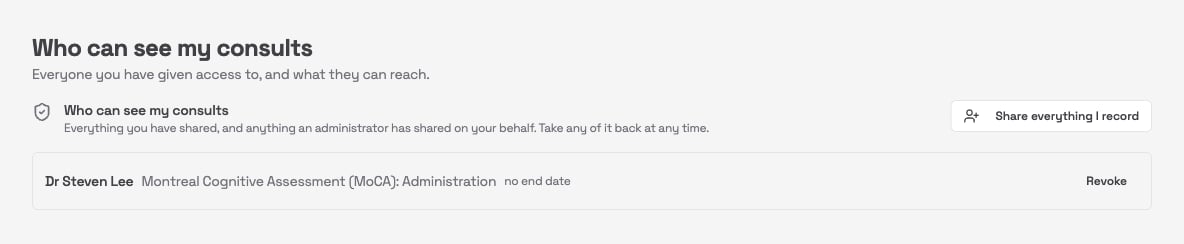
The Who can see my consults page lists everything you have shared and anything an administrator has shared on your behalf: single consults by name, and standing access marked “everything I record”, with “including earlier consults” where that was ticked, and an end date where one was set.