
Overview
The Scribe page is one list. It shows every consult, dictation and phone call you have recorded that still needs something done to it, newest first. When a consult’s note is finalised, the consult drops off the list, so the list only ever shows what is still waiting on you. Finished work is not gone. Search for it and it comes back, and each item opens the note it produced.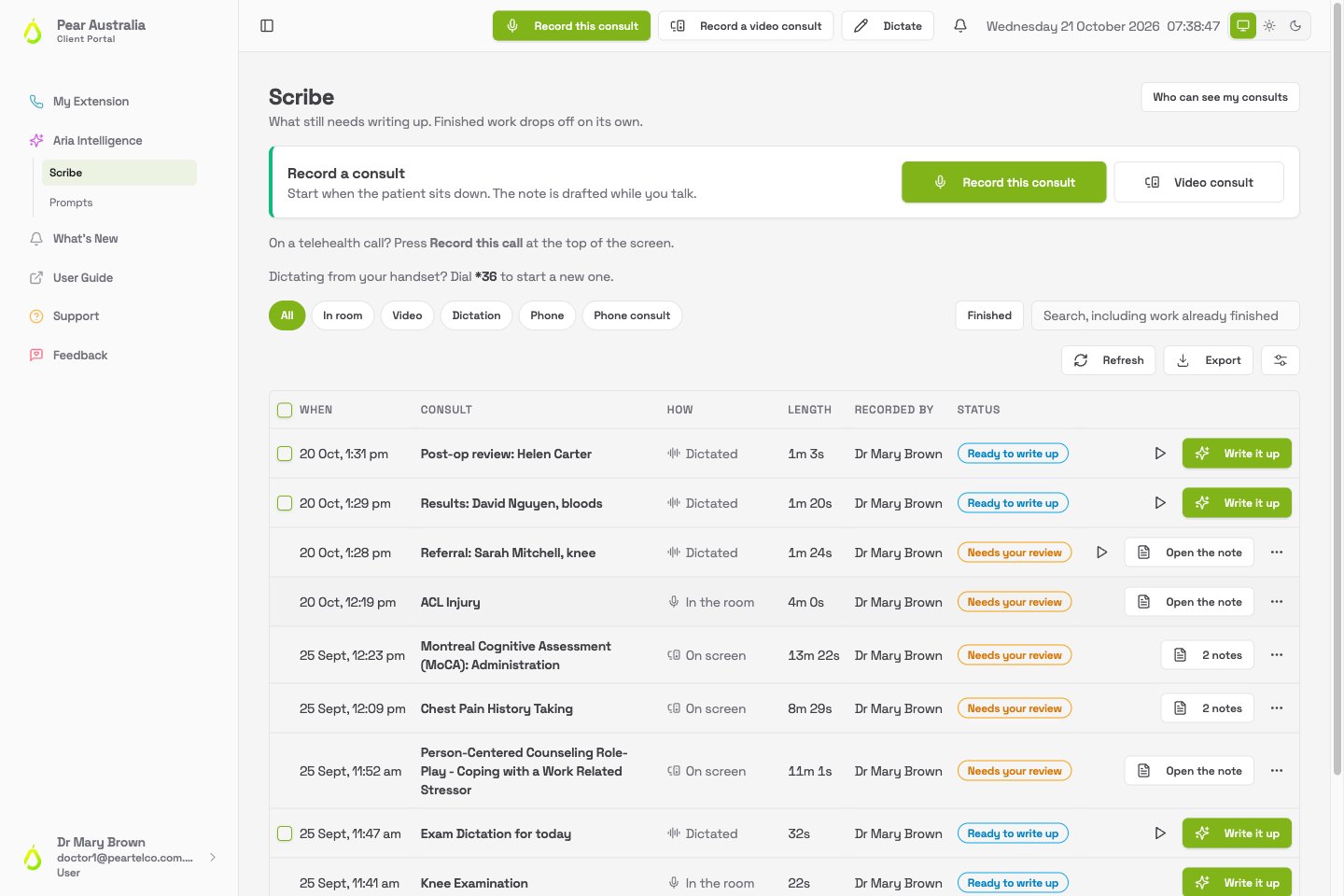
The record bar
At the top of the page is Record a consult, with a microphone chooser and two buttons: Record this consult and Video consult. The same buttons, plus Dictate, sit in the top bar of every page, so you can start a recording from anywhere in the portal. Underneath, if your phone system has dictation set up, a line tells you the code to dial from your handset, for example “Dictating from your handset? Dial *36 to start a new one.” Recording is covered on Recording a consult and Dictation.Filtering and searching
A row of chips narrows the list by how the recording was made: All, In room, Video, Dictation and Phone. The chip you pick is kept in the page address, so a bookmark or a refresh brings you back to the same view. The search box to the right searches everything, including work that has already been finished. Type a consult name, a patient’s name if you used one, or a word from the title.Reading a row
A small tick box appears at the left of dictation rows that are ready to write up, so you can write several up at once. See Dictation.
What the statuses mean
Under the status, a row may also say Consent needed. That means nobody has yet confirmed that everyone in the recording agreed to it. The note will ask you when you open it. See Consent and privacy.
What the buttons on a row do
- Write it up: opens the prompt chooser and asks Aria to draft a document. Shown when a recording has a transcript and no note yet.
- Open the note: opens the note Aria has already drafted, or the finalised note.
- Listen: on dictation rows, plays the audio in place. Click again to pause.
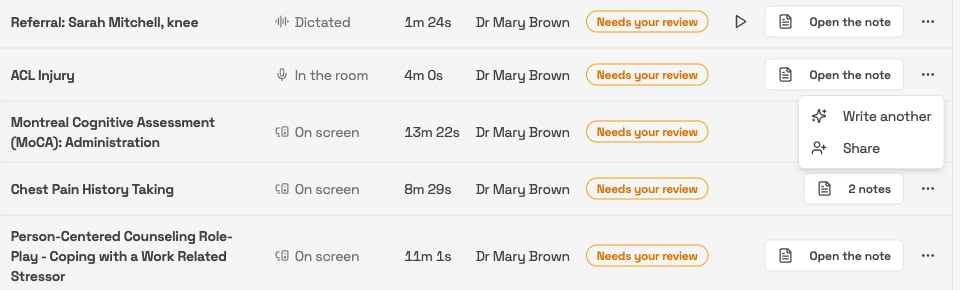
- ⋯ (more actions): on a row that already has a note, opens a short menu with two more options:
- Write another: drafts a second document from the same recording, so a file note and a letter can both come from one consult.
- Share: gives a colleague access to this consult. Only shown on consults you recorded. See Sharing consults.