

This video shows Aria X-Fax Intelligence in action: an urgent fax arriving, the alerts and notifications it triggers, and how your team reviews and actions it.
Overview
Aria X-Fax Intelligence gives your practice an extra set of eyes on the fax machine. The moment a fax arrives, Aria reads it, works out who sent it and what kind of document it is, and checks whether it needs urgent attention. An urgent pathology result no longer waits in a pile until someone opens the inbox. It is flagged in red, moved to the top of the list, and announced to everyone who has the portal open, with an email alert as backup.Aria X-Fax Intelligence is a paid add-on. If you don’t see the features described on this page, reach out to Pear Support using the Support link in the left menu and we will get you set up.
What Aria does with every fax
When a fax arrives, Aria automatically:- Reads the first three pages of the document
- Works out who sent it, for example the pathology lab or specialist practice on the letterhead
- Identifies what kind of document it is, such as results, a referral, or a discharge summary
- Writes a short summary of what the fax is about
- Checks whether the fax needs urgent attention
Urgent faxes
What counts as urgent
Aria flags a fax as urgent when it contains things like:- Abnormal or critical test results
- Urgent referrals, or requests for urgent or same-day review
- Explicit wording such as “urgent”, “ASAP”, or “immediately”
- Medication safety alerts and recalls
Aria is extremely capable, but like any reader it can still make mistakes, in both directions. A routine fax with urgent-sounding wording may occasionally be flagged, and in rare cases something genuinely urgent may not be. Treat the urgent flag as a fast lane, not a filter: it gets important documents seen sooner, but your team should keep reviewing every fax as usual.
How an urgent fax stands out
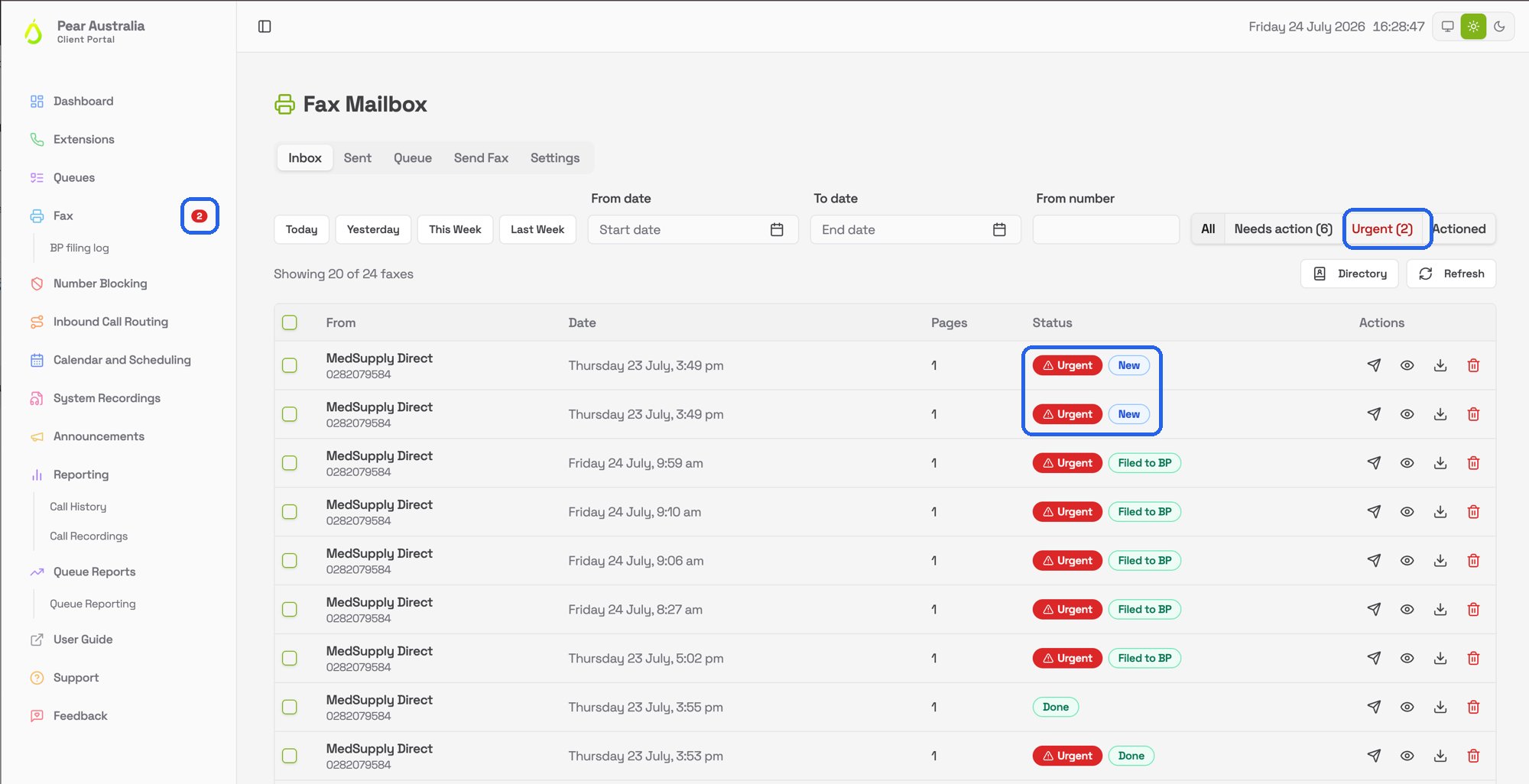
- A red Urgent badge appears next to the fax in the Inbox
- The fax is pinned to the top of the list so it cannot get buried under newer arrivals
- An Urgent filter button appears above the list, with a count of urgent faxes that still need action. Once they have all been dealt with, the button disappears again
- The fax count in the left menu and the browser tab turns red
The urgent alert
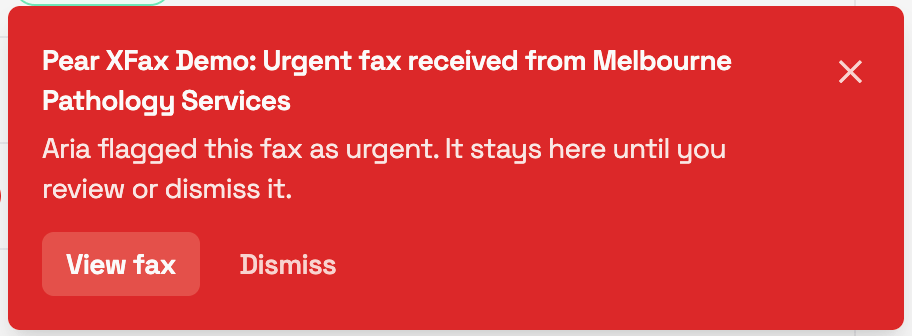
Urgent email alerts
Your practice can nominate email addresses that receive an email whenever an urgent fax arrives. The email tells you who the fax is from and when it arrived, with a link to the portal, and is sent as high importance so mail programs like Outlook show it with the red exclamation marker.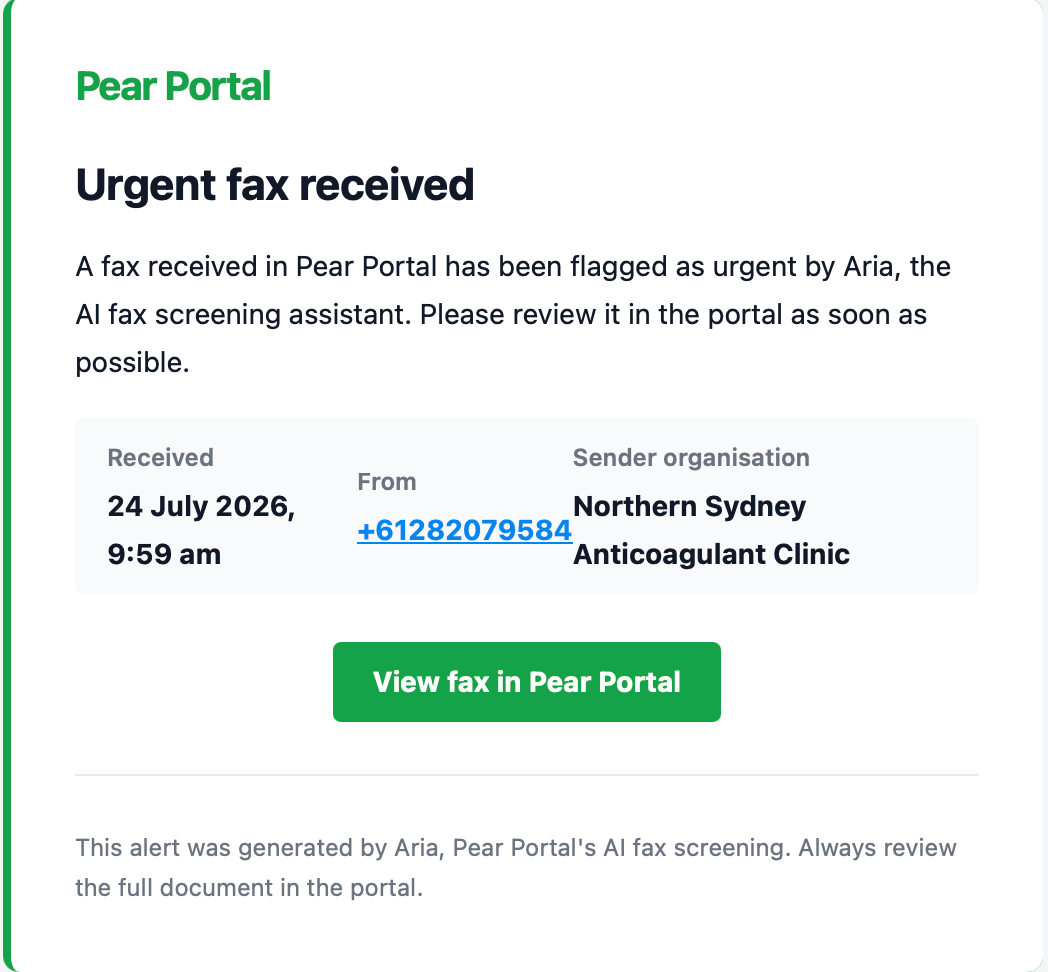
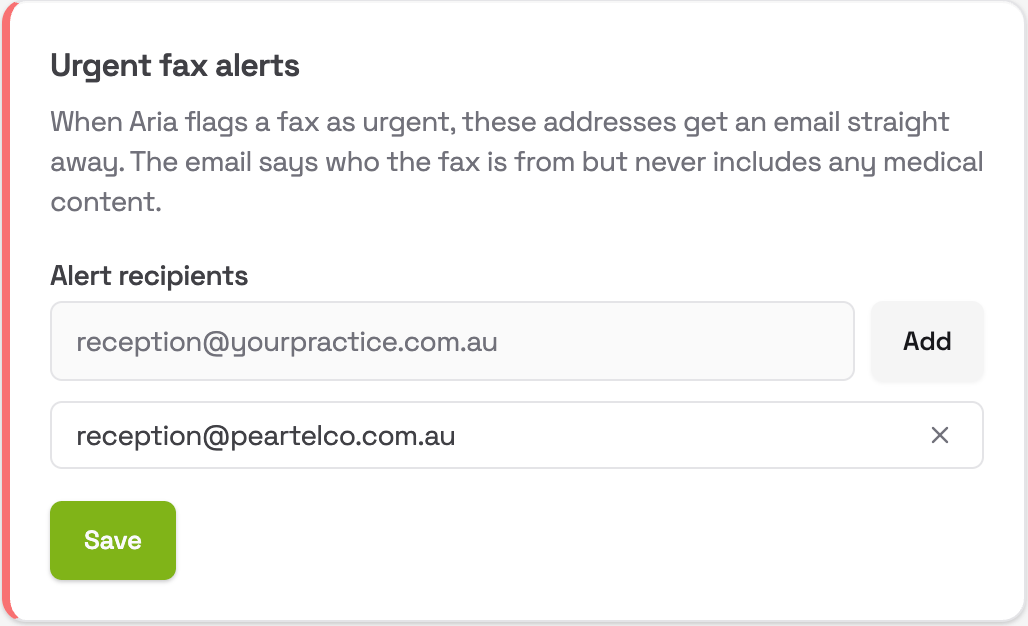
- Go to Fax in the left menu and open the Settings tab
- Find the Urgent fax alerts card
- Type an email address and click Add. Remove one by clicking the small cross next to it
- Click Save
Anyone who can edit your practice’s fax settings can manage the alert list. If you leave it empty, urgent faxes still show alerts inside the portal, you just won’t get emails.
Inside each fax
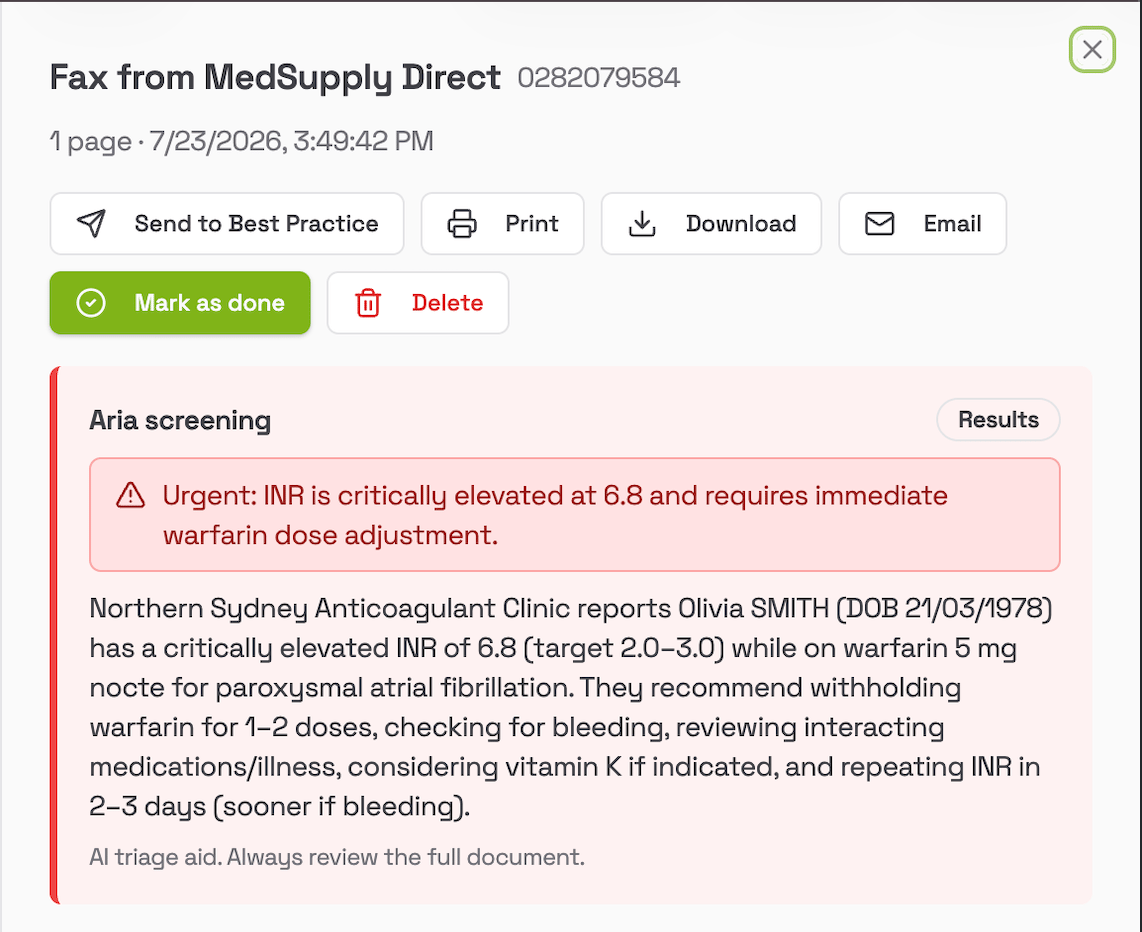
- A one or two line summary of what the fax is about
- The sending organisation Aria detected. If that fax number isn’t named in your Sender Directory yet, a Save to directory button appears so you can name the sender with one click
- A tag showing the document type, such as Results or Referral
- For urgent faxes, the reason Aria flagged it, for example “Critical abnormal potassium result requiring immediate review”
Notifications on every page
You don’t need to be sitting in the Fax Mailbox to know a fax has arrived.- A notification pops up on whatever portal page you are on, with a View button that takes you straight to the mailbox
- With Aria turned on, the notification is smarter: instead of just “New fax received”, it can tell you “From Dorevitch Pathology, Results” so you know whether it can wait
- The Fax entry in the left menu shows a count of faxes from today and yesterday that still need action. It is amber normally and turns red when any of them are urgent
- The same count appears in your browser tab, so even if you are working in another program you can see faxes are waiting