

Overview
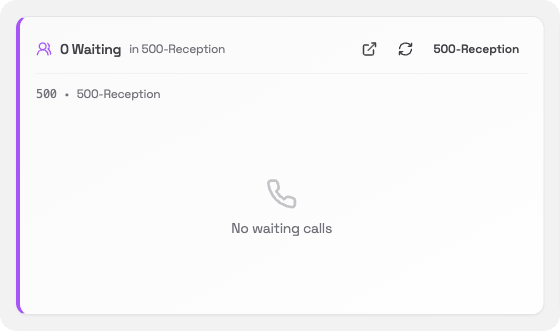
The Queue Status card shows you how many callers are waiting in a queue right now. If you have a reception queue or a support queue, this card lets you see at a glance whether anyone is on hold.What you’ll see
- Waiting count: the number of callers currently holding in the queue
- Queue name: the name and extension number of the queue (for example, 500 · 500-Reception)
- No waiting calls: shown when the queue is empty
Switching queues
If your system has more than one queue, a button at the top right of the card lets you pick which queue to show. Click it to choose from your available queues.Pop-out wallboard
Click the pop-out icon (top right of the card) to open a full wallboard view in a separate window. The wallboard shows all your queues at once. It is designed to be displayed on a screen in a busy office or call centre. The floating window has tabs along the top for My Extension, Queues and Abandoned, so you can switch between the wallboard, your extension controls and your callback list without opening more windows.Keeping the wallboard on top
When the wallboard is open in its own window, you can keep it visible above other windows using your operating system:
The wallboard also shows a reminder banner with the shortcut for your operating system when it first opens. Click the × to dismiss it once you have set it up.