

Overview
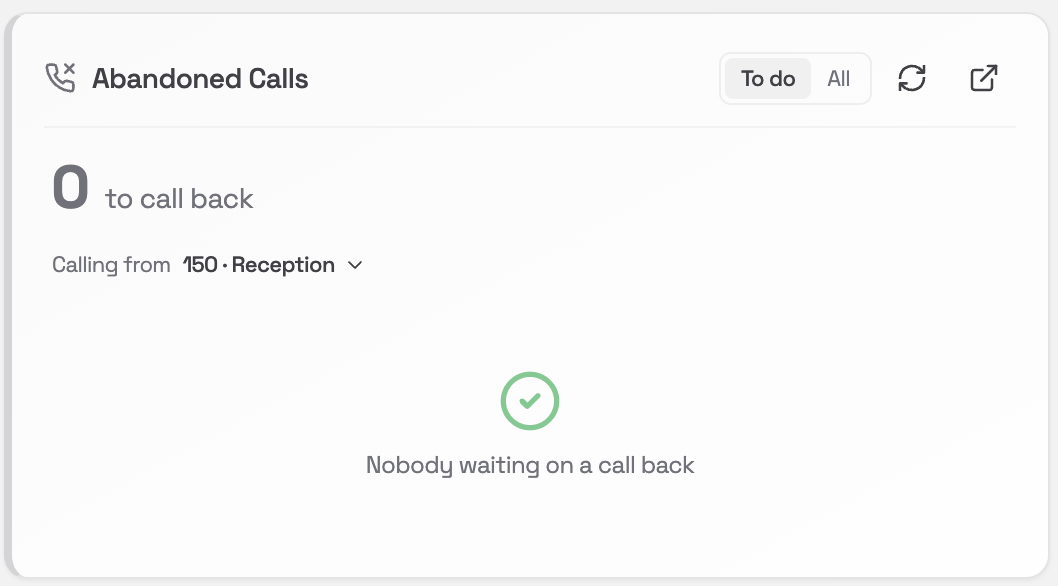
The Abandoned Calls card is your callback list. It shows customers who rang in and did not get to speak to anyone: those who waited in a queue and hung up before anyone could answer, and those who rang while the phones were on a break and only reached the break message. These are people who wanted to speak to you and did not get through, so the card is built as a list of work to get done rather than a report. A caller drops off the list on their own as soon as contact is made, whether you ring them back or they ring you.What you’ll see
The big number at the top is how many customers are still waiting on a call back. Next to it, in smaller text, is how many have been reconnected today, so you can see the team clearing them. Below that is one row per customer, oldest first, so nobody sits at the bottom of the list forever. Each row shows:- The phone number, formatted the way you would dial it
- A coloured icon showing where that customer is up to (see below)
- How long they have been waiting for a call back, for example
20mor1d 4h - Which queue they were waiting in, or Called during a break
- A Call button
The three colours
Every customer on the list is in one of three states.
Amber is worth understanding. It means a colleague has already rung that person and it went unanswered, so the job is not finished, but you do not need to be the second person to ring them in the same five minutes. Amber customers stay on your list until someone actually reaches them.
Leaving a voicemail counts as reaching them. You rang, they have a message with your name and number, and the ball is in their court. That customer turns green and leaves the list.
Callers who rang during a break
When the phones are in Break Mode, callers hear the break message and the call ends. There is no queue to wait in and no voicemail to leave, so until now those customers left no trace you could act on. They rang, they heard a recording, and nobody knew they had called. Those callers now appear on this card alongside your queue callbacks, so a break does not quietly cost you the enquiries that came in during it. A break caller looks like any other row, with two differences:- A purple Break badge sits next to their number
- The Queue column reads Called during a break instead of a queue name
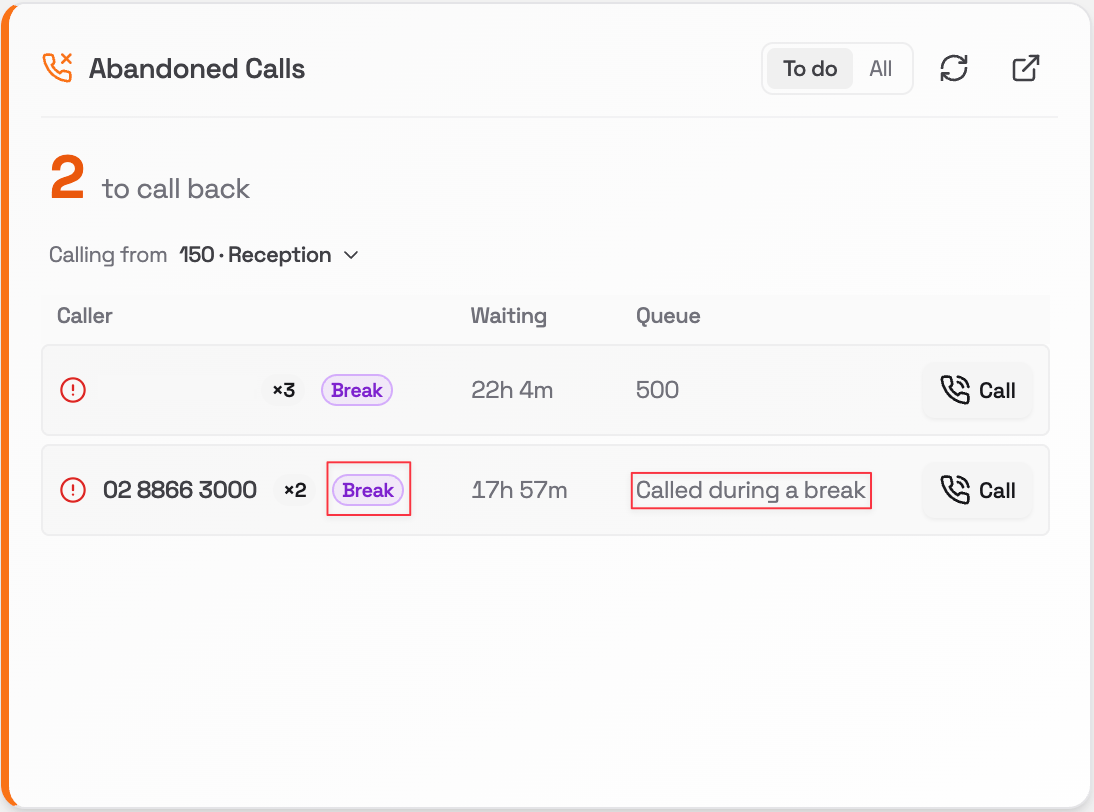
Ring these customers back the same way as any other row. The Call button, the three colours and the attempt count all work identically.
When break callers are not shown
This needs a small change on your phone system, which Pear switches on for you. Until it is on, the card works exactly as it always has and shows queue callbacks only. Where the card cannot show break callers for another reason, it tells you rather than leaving you to assume nobody rang:
If you would like break callers switched on for your site, ask Pear.
Who does not appear on the list
The card only shows customers you can actually do something about. These groups are deliberately left out:- Your own staff. If someone rings a queue from an internal extension and hangs up, they are not a lost customer.
- Withheld and private numbers. These are real customers, but there is no number to ring back, so putting them on a callback list would only ever be a row you can never clear.
- Numbers you have blocked. A caller on your block list is rejected before the call connects, so they never reach the break message and never reach this list. Blocking a nuisance caller keeps them off your callback list too.
- Callers who still reached someone during a break. A direct number that rings a person or a team is not affected by Break Mode, so those callers got through and there is nothing to ring back about.
How far back the list goes
The list covers everyone who gave up since 7am on the previous working day, and it looks back over weekends. In practice that means:- On a Tuesday, you see anyone from Monday morning onwards.
- On a Monday, the list reaches all the way back to Friday morning.
Switching between what’s left and everything
Two buttons at the top right control what the list shows:- To do: only customers still needing a call. This is the default.
- All: everyone in the period, including those already reconnected.
Ringing a customer back
You can call straight from the card, and the call is placed through your desk phone rather than your computer.- Check the extension shown next to Calling from at the top of the card. This is the phone that will ring and the number the customer will see.
- To use a different phone, click the extension name and pick another one from the list. You can call from any extension on the phone system you are viewing, so reception can ring people back as the main office number if that suits.
- Click Call on the row for the customer you want to reach.
- Your desk phone will ring first. Pick it up.
- As soon as you answer, the system dials the customer for you. You do not need to dial anything.
There is a short pause between clicking Call and your phone ringing. This is normal. The button greys out for a few seconds so you cannot accidentally start two calls at once.