

Overview
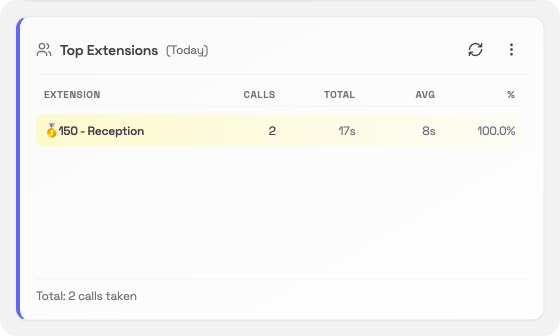
The Top Extensions card lists the extensions on your system in order of how many incoming calls they have taken. It is a quick way to see who is the busiest and how calls are spread across your team.What you’ll see
Each row in the table shows one extension:
The top three extensions are highlighted with 🥇 🥈 🥉 medals.
Changing the time period
Click the ⋯ menu in the card header to change the period:- Today: calls so far today (default)
- Yesterday: the full previous day
- This Week: Monday to today
- Last Week: the full previous week