

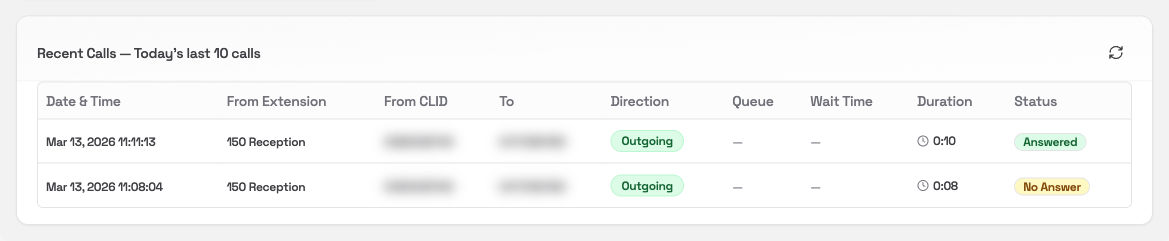
Recent Calls card

Overview

The Recent Calls card shows the last 10 calls on your system today. It’s a quick reference for checking what’s come in or gone out recently, without needing to open the full Call History report.
This card only shows the most recent 10 calls. To search, filter, or export your full call history, go to Call History.

What you’ll see

Each row in the table is one call:
ColumnWhat it means
Date & TimeWhen the call happened
From ExtensionThe internal extension the call was handled by
From CLIDThe number the call appeared to come from (outgoing calls)
ToThe number dialled or the destination
DirectionIncoming, Outgoing, or Internal
QueueThe queue the call came through, if any
Wait TimeHow long the caller waited before being answered
DurationTotal call length
StatusWhether the call was Answered, No Answer, or Busy

Refreshing the data

Click the refresh icon in the card header to reload the latest calls.